This blog assumes that you are familiar with docker and it’s basic concepts such as volumes (that’s the only concept we gonna use either way 😅).
We have a flask application which is basically a social blogging site where users can register, login (ofcourse), make posts, comment, follow other users and with role based authentication implemented for granting appropriate permissions for users, moderators and admins.
Following the good practice of using a separate python virtual environments to work on different projects, i’ve created a virtual environment using the venv python module and built my application in that environment so i could keep my projects’ isolated
This is how my script.py, which is the starting point of the flask application looks like. Your’s might look different and it’s perfectly alright!. you can ignore FLASK_CONFIG for now, the ‘default’ value for FLASK_CONFIG indicates that the current environment is a developement one and not a prod one
import os
from app import create_app, db
from app.models import User, Role
from flask_migrate import Migrate
app=create_app(os.getenv('FLASK_CONFIG') or 'default')
migrate=Migrate(app,db)

with app.app_context():
    db.create_all()
    Role.insert_roles()

@app.shell_context_processor
def make_shell_context():
    return dict(db=db, User=User, Role=Role)


if __name__=='__main__':
    app.run()
look at these three lines of code
with app.app_context():
    db.create_all()
    Role.insert_roles()
as mentioned earlier, i’ve implemented role based authentication (RBAC), you dont need to do Role.insert_roles() if you do not have any roles to begin with. But you still need to create all the database tables if you are using a database
The way db.create_all() works is that if a particular table related to a model does not exist in the database, it creates that table in the database. However, if a table associated with the model already exists, it won’t create a new table.
Keep in mind, we need to create the database tables inside the application context of our app or else simply running db.create_all() won’t work
Now let’s take a look at the Dockerfile
FROM python:alpine

RUN adduser -D cicada
# you can change ths user too!
USER cicada

ENV FLASK_APP=script.py
# replace script.py with the appropriate filename in your project

WORKDIR /home/cicada

COPY requirements.txt requirements.txt

RUN python -m venv venv

RUN venv/bin/pip install -r requirements.txt

COPY app app

COPY migrations migrations

COPY script.py config.py boot.sh ./

EXPOSE 5000

ENTRYPOINT ["./boot.sh"]
a few points to note here,
my directory organization looks like this,(i have omitted out some files intentionally, just wanted to give you guys an idea about the organization)
├── Dockerfile
├── app
│   ├── __init__.py
│   ├── auth
│   │   ├── __init__.py
│   │   ├── forms.py
│   │   └── views.py
│   ├── decorators.py
│   ├── main
│   │   ├── __init__.py
│   │   ├── errors.py
│   │   ├── forms.py
│   │   └── views.py
│   ├── models.py
│   ├── static
│   │   ├── favicon.ico
│   │   └── styles.css
│   └── templates
│       ├── 403.html
│       ├── 404.html
│       ├── 500.html
│       ├── auth
│       │   ├── login.html
│       │   └── register.html
│       ├── base.html
│       ├── index.html
│       ├── profile.html
│       └── single_post.html
├── boot.sh
├── config.py
├── data-dev.sqlite
├── migrations
├── requirements.txt
├── script.py
- we are creating a new python environment in the using
python -m venv <name_of_the_environment> - we are installing all our dependencies in the new environment
- here the
appfolder is my main folder where i have the code for my application the contents ofboot.sh, which is the entrypoint of our docker image are
#!/bin/sh
source venv/bin/activate

flask run  --host 0.0.0.0 --port 5000
the requirements.txt file contains the list of modules/ dependencies that our flask application needs, you run generate this file by using the below command, just remember to activate your virtual environment before generating
source <your_environment_name>/bin/activate
pip freeze > requirements.txt
Now, it’s time to build the image. Navigate to the directory where you have your Dockerfile saved and execute this
docker build -t flask_app:latest .
once the image is built, you can list out the images using (i’ve created a while ago)
╰─$ docker image ls
REPOSITORY              TAG       IMAGE ID       CREATED          SIZE
flask_app               latest    ca0ec641a957   42 minutes ago   129MB
let’s spin up a container with this image
docker run -it -p 8000:5000 --name smapp flask_app:latest
we are mapping the port 5000 which will be exposed inside the container to the port 8000 on our host machine, so that we can access the site from http://localhost:8000
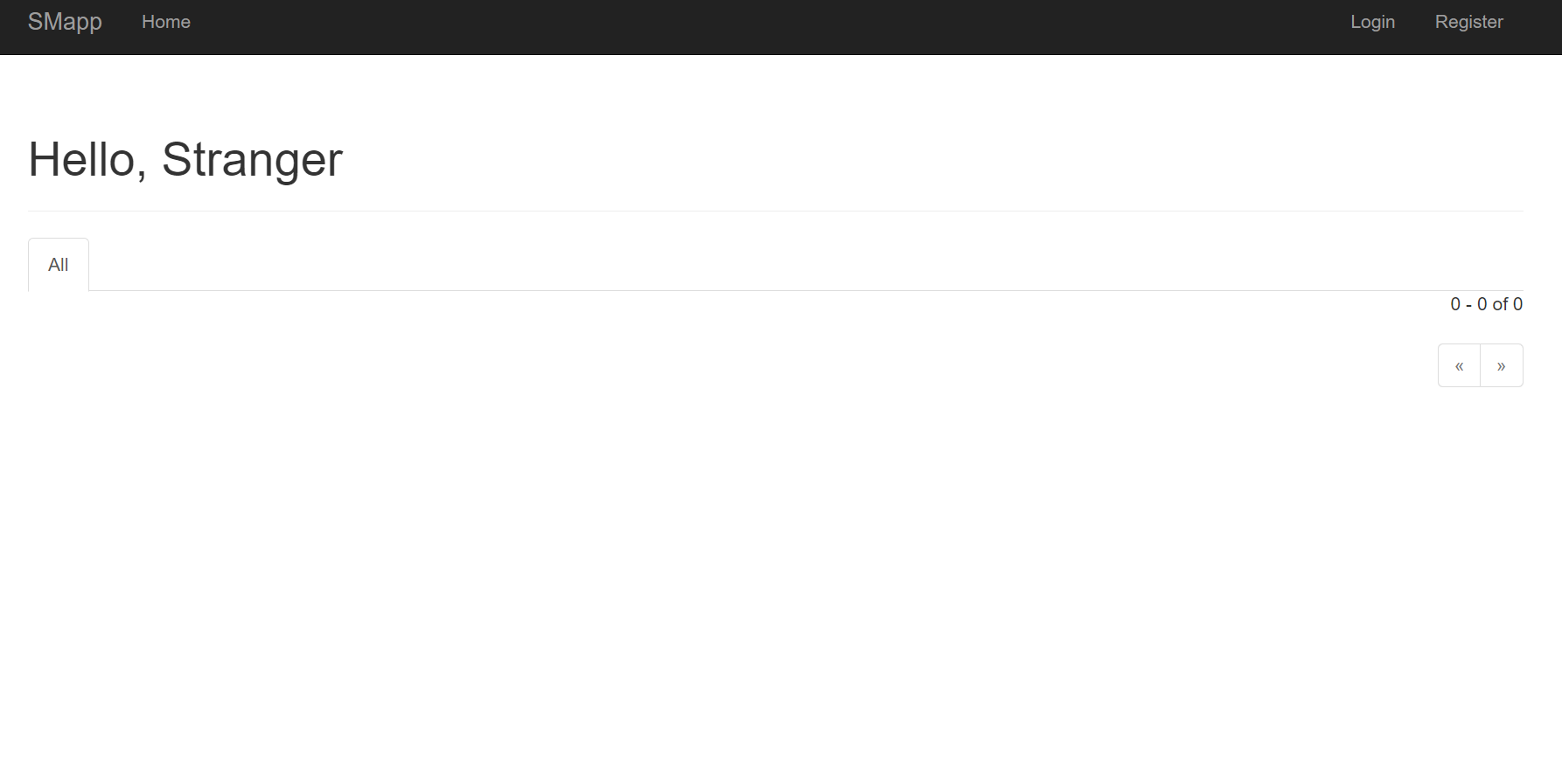
Now you can interact with the website, create a user, publish a post, comment etc.
But when you restart the container, all the users, posts, comment which you may have created earlier are lost. This is where the need for volumes come in
To ensure data persistence we mount the volume to the container
lets create a volume
╰─$ docker volume create smdata
smdata
list the available volumes
╰─$ docker volume ls
DRIVER    VOLUME NAME
local     smdata
mounting a volume,
docker run -it --name smapp --mount source=smdata,target=/home/cicada -p 8000:5000 flask_app:latest
- The
sourceparameter specifies the name of the volume. - The
targetparameter defines the folder path inside the container where the volume will be mounted.
Now,even if you restart the container, your data will be persistent
Next, I will try write about how we can do this using docker-compose and an external mysql db